
Go from a trial to a polished assessment in one day
Draft sections, questions, and feedback fast with AI Build and hit the ground sprinting from day one of your trial.

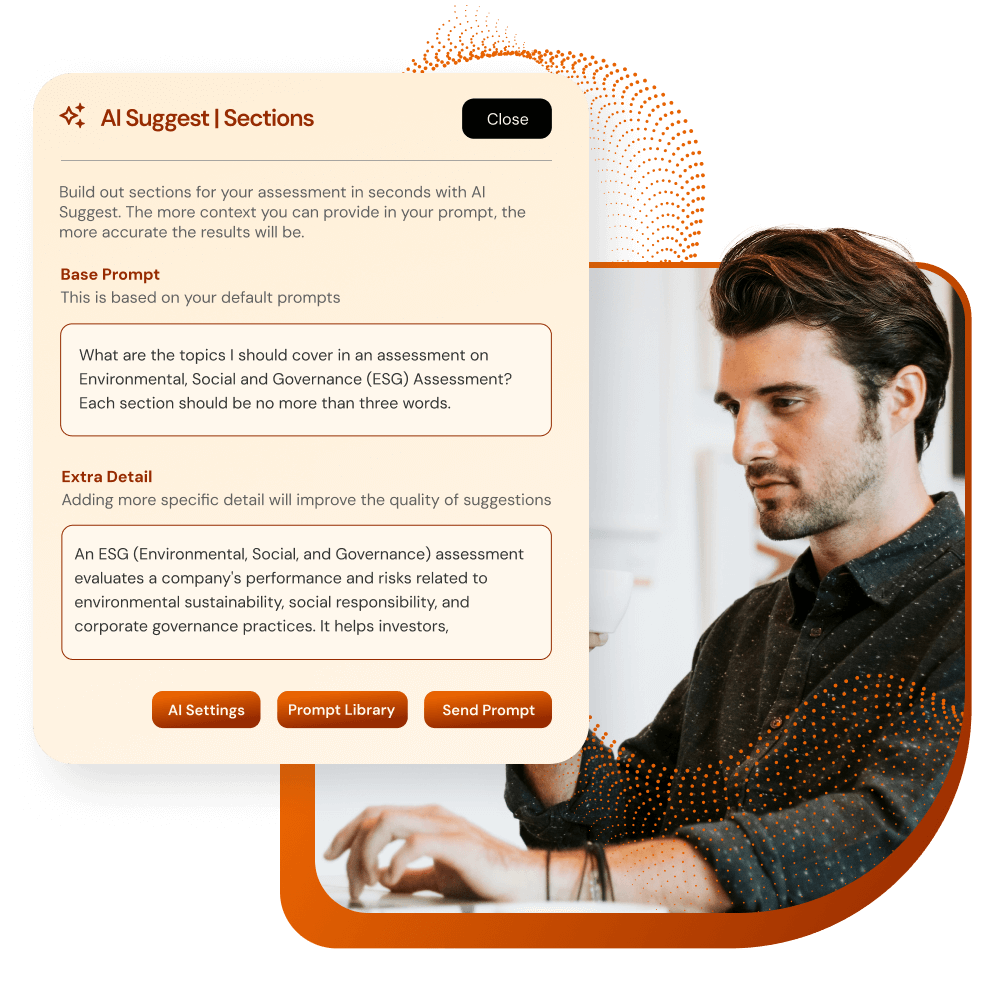
Draft your assessment structure in minutes
Build full assessments faster and smarter
AI Build drafts sections, subsections, and questions based on your assessment title and description, using your preferred tone, format, and answer types.
AI Build Sections
These are the key themes of your assessment. AI Build will automatically generate these for you to refine and edit.
AI Build Subsections
These are usually more detailed focus areas under each section.
AI Build Questions
You can get AI Build to generate any question type and match the style of answers.
Title your assessment
Add a detailed name and description for your assessment, giving AI a suggested reference point for what you’re trying to achieve.
How it works
Click the sparkles
Select the AI Build button for sections, subsections, questions or feedback to open the prompt window
Add your prompt
Tell AI Build what you want it to create in detail, and use default prompts as a starting point
Edit the output
Keep the best responses, and discard anything that doesn’t work. If it completely misses the mark, update the prompt and regenerate.
Get past the blank page when writing feedback
Writing clear, relevant report and rating text is one of the most time‑consuming parts of assessment building. With AI Build, you can draft personalized feedback for every answer or score band quickly in your tone.
Format your feedback
Ask AI Build to build bullet points, use paragraphs, offer coaching tips, present information in tables, you name it.
Customize tone and length
Request brief tips, formal advice, or supportive coaching-style feedback.
Save hours on writing
Generate complete feedback across all rating bands or answers in minutes.
Edit as needed
Tweak, regenerate, or fine-tune with clear prompts. AI Build ultimately follows your lead.

Lead AI Build with effective prompts
You get out what you put in with AI. Set the tone, length, and level of detail so the AI suggestions match your assessment style.
Be specific
Bring in details like the answer type, the audience, and additional context to get the best results.
Set the tone
Request professional, conversational, bullet-point formats, and more.
Control length
Limit word count or request concise feedback.
Standardize quality with default prompts
No need to reinvent the wheel for every prompt.
With AI Build, you can save your best prompts as defaults or build a Prompt Library to speed up future builds and ensure consistent quality across your team.
Use prompt libraries to:
Set prompts as system-wide defaults to apply across all assessments
Build a library of reusable prompts for different topics, frameworks, or audiences
Control tone and style by setting expectations once and applying them to every prompt
Edit anytime. Update, refine, or replace prompt defaults without starting from scratch


Go further with AI Interpret
AI Interpret takes AI Build further by extending automation from assessment creation to response analysis and feedback delivery.
While AI Build helps you quickly build smart, structured assessments, AI Interpretation picks up where that ends, automatically turning responses into polished, personalized reports.

Your expertise (still) counts
While AI is powerful and speeds up assessment building, it's your expertise that makes it brilliant. AI Build includes built-in opportunities for human quality control, so you decide what stays in your assessment.
You can:
Keep the suggestions that make sense for your content
Edit or remove anything that isn’t quite right
Regenerate new ideas instantly if you want a different take