
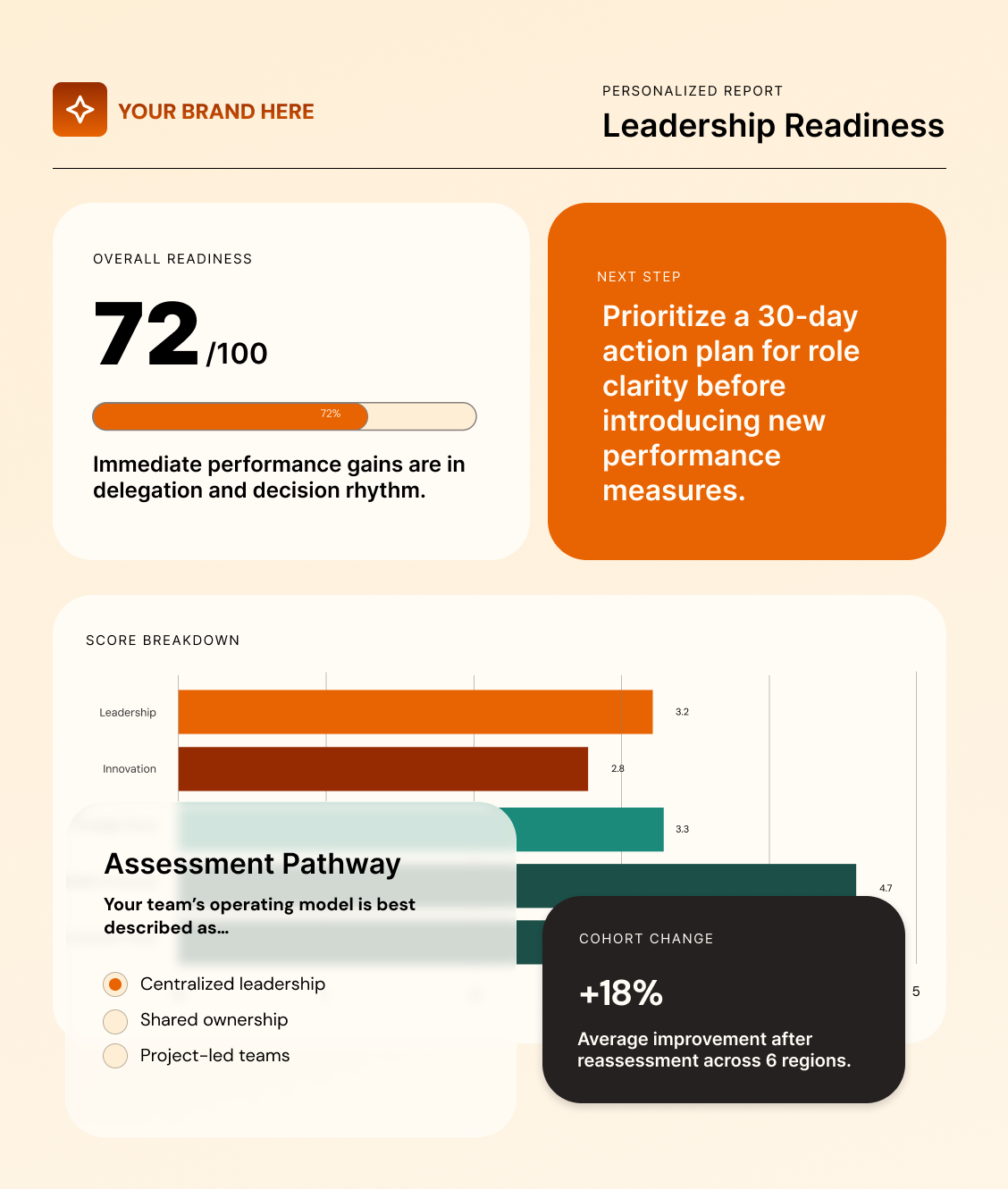
The most brilliant assessment software
Build innovative, white-label assessments that wrap around your methodology and produce personalized reports that keep your expertise at the heart of feedback.
Top Rated
Rated #1 for reporting and customization by G2 and 4.9 stars on Capterra
Yours
White-label from the assessment to the report
Flexible
Made for a range of enterprise-grade assessment programs
Score thoughtfully
Automate scoring at multiple levels for various levels of detail and complexity.
Report personally
Provide personal guidance and feedback based on answers and change over time.
Deliver professionally
Enjoy a platform built from the ground up at an enterprise grade.
Innovate intelligently
Combine your expertise with guided, context-aware AI in your assessment.
Assessment AI built around your expertise
Brilliant Assessments introduces AI where it adds the most value across the assessment process, from creating assessment content and interpreting richer responses to helping people understand their results. You decide where AI fits, what knowledge it can use, and how to apply its output.
Create assessment content faster
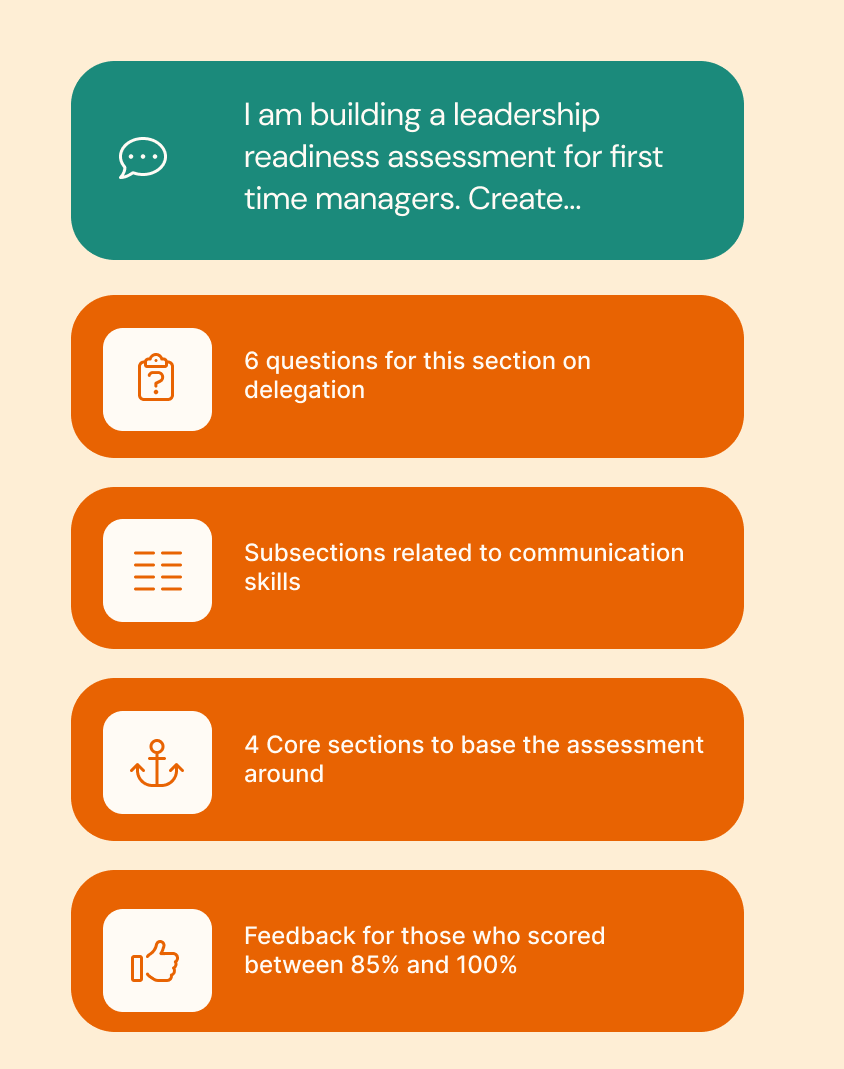
Using prompts, turn your methodology, plans, and existing content into assessment structures, questions, answers and feedback, giving you a faster route to a working first draft.
Understand qualitative data at scale
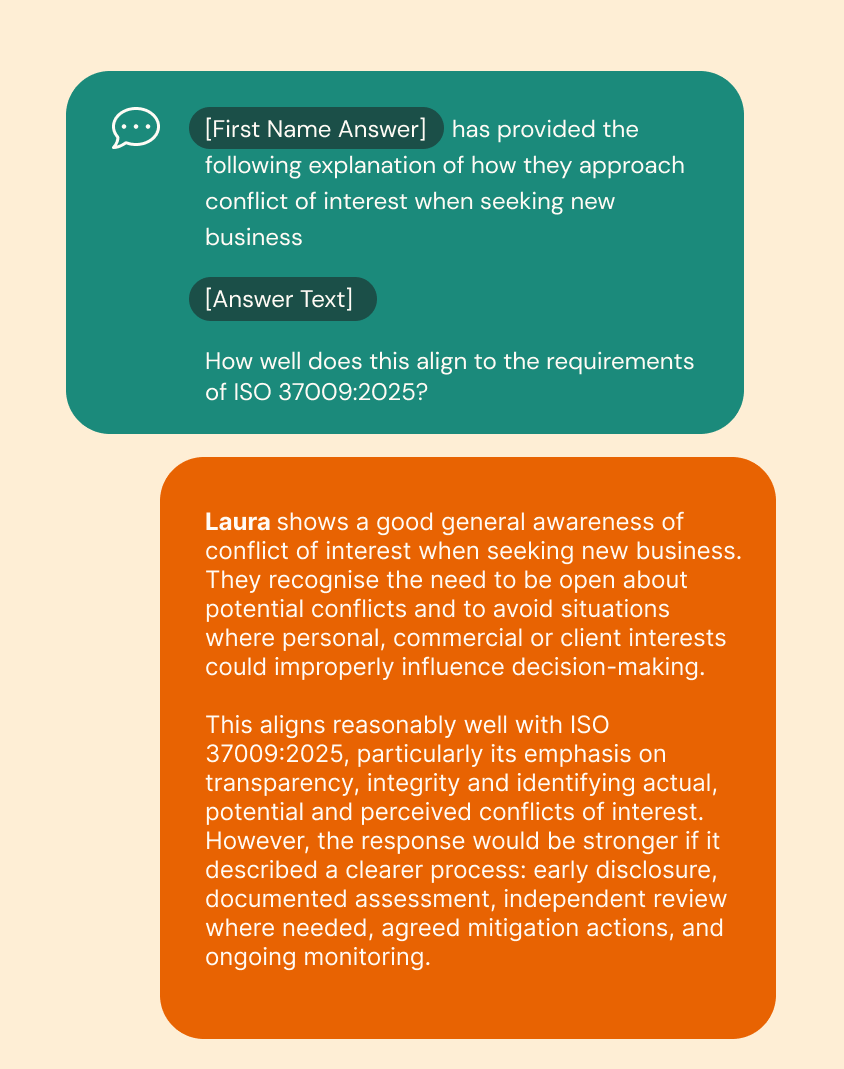
Analyze open-text responses, documents, spreadsheets, and supporting evidence to uncover insights, derive scores, and generate recommendations at scale.
Turn results into conversations
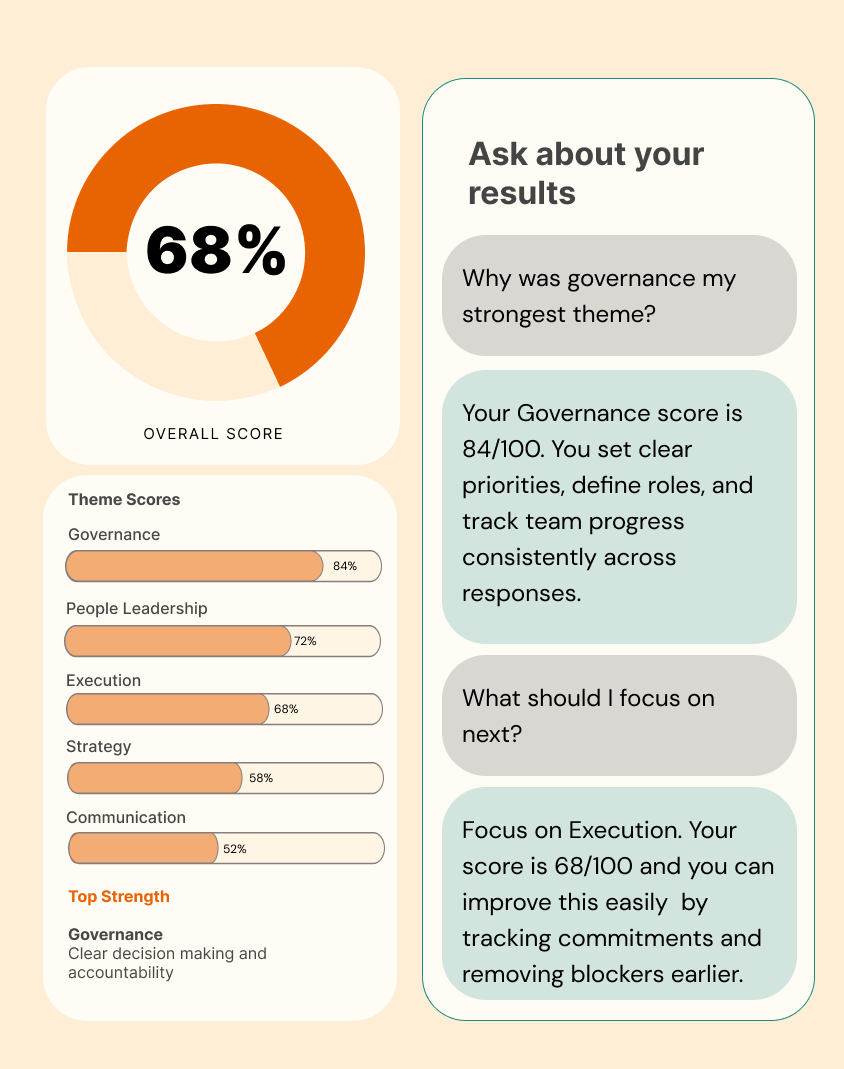
Give respondents an AI-powered guide that explains their results, explores recommendations, and provides additional guidance based on the knowledge base and frameworks you define.
An intelligent way to build assessments, score responses, and deliver feedback
Turn qualitative data and evidence into useful insight
AI Interpret helps you analyse open-text responses, documents and files at scale, using AI to identify insights, assess and score qualitative inputs and generate useful recommendations using your assessment framework.
Go beyond selection-based responses
Analyze open text alongside PDFs, spreadsheets and other files, giving respondents more freedom to provide detailed evidence, context and feedback.
Reduce hours of manual review
Use AI Interpret to review qualitative inputs, identify relevant information and generate recommendations, making large volumes of detailed responses much easier to work with.
Interpret within your framework
Define the prompts and instructions, provide your own documents and frameworks, and keep the interpretation grounded in the methodology and intellectual property that matter to you.
AI Interpret accelerates the interpretation process, while every output can still be reviewed, edited and refined by your team.
Build your brilliant assessment faster
AI Build helps you turn your methodology, knowledge and existing content into a working assessment much faster, from the initial structure and questions through to report recommendations.
Start with what you already know
Use your own methodology, documents, frameworks and existing questions as the foundation for your assessment.
Get to a working draft sooner
Generate sections, questions, answer options and report recommendations, making it much quicker to prototype ideas or migrate an established framework.
Keep the important decisions yours
AI Build helps with creation, but your methodology, scoring, logic and intellectual property remain yours to control.
Everything AI Build creates is a draft. You can review it, edit it and approve it before it becomes part of your assessment.
Turn assessment results into useful conversations
AI Discuss gives respondents an AI-powered guide to help them explore their results, understand recommendations and ask the questions that matter to them, extending the value of your assessment beyond the report itself.
Help people understand their results
Respondents can ask questions about their assessment, explore recommendations in more depth and get additional guidance, explanations and examples.
Make your expertise available at scale
Give more people access to useful follow-up support without requiring an expert or consultant to personally explain every report.
Decide what AI Discuss can know
Use your reports, books, frameworks, policies and other intellectual property to shape its answers, with broader AI knowledge available only when you choose to use it.
AI Discuss can explain and explore results, but it cannot change scores, modify outcomes or override the framework behind your assessment.
ASSESSMENT SOFTWARE STRENGTHS
The capabilities that make advanced assessments possible
Find out which capabilities are most important for your assessment
Score the way your model works
Combine weighted questions, themes, score bands, and calculated outcomes so every result reflects the depth of your framework and delivers personalized, detailed feedback.
Put your brand at the center of the entire assessment experience
Deliver assessments, portals, emails, and reports under your (or your client’s) identity. Create brand consistency across your assessment experience and increase credibility.
Scale your assessment from an individual response to a group view
Use one assessment for many different report views from individual feedback, to cohort reviews and more detailed comparisons within groups.
Personalize the assessment journey
Make every touchpoint of your assessment personal. Automate how you show questions, sections, and follow-up paths based on answers, role, score, or segment.
Make every report feel written for the reader
Turn answers, scores, and uploaded materials into personalized insights, recommendations, charts, and next steps. Produce different reports for respondents, managers, clients, or leadership teams.
Track progress and difference across groups, categories and time
Compare teams, departments, clients, cohorts and repeat assessment cycles so you can see patterns, benchmark groups and measure change over time.
Get human support when you need it
Work directly with a support team that understands how to build complex assessment programs. Use professional services for implementing your assessment and/or feedback.
Shape the platform around your assessment
Build around your framework, language, question structure, scoring model, reporting needs and delivery process instead of forcing your work into a template.
Make the assessment admin hands-off
Remove manual touch points where they aren’t needed from your assessment by automating invitations, reassessments, communications and feedback delivery.
When a survey tool is not enough
Brilliant Assessments is for professionals who value the quality of their assessment feedback and need a platform that wraps around their framework.
WE’RE BRILLIANT WHEN
01
Your scoring model has depth and defined outcomes
If you need different weightings, thresholds, or detailed thematic outcomes, Brilliant Assessments supports that complexity without forcing you to simplify your thinking.
02
Your feedback is the ‘moment of truth’
If your respondents need more than a score and would benefit from specific, personal feedback, Brilliant is made for you.
03
Your program has potential to scale
Whether you serve clients, resell to partners, or run your assessment internally, Brilliant Assessments delivers a secure and enterprise-grade assessment experience.
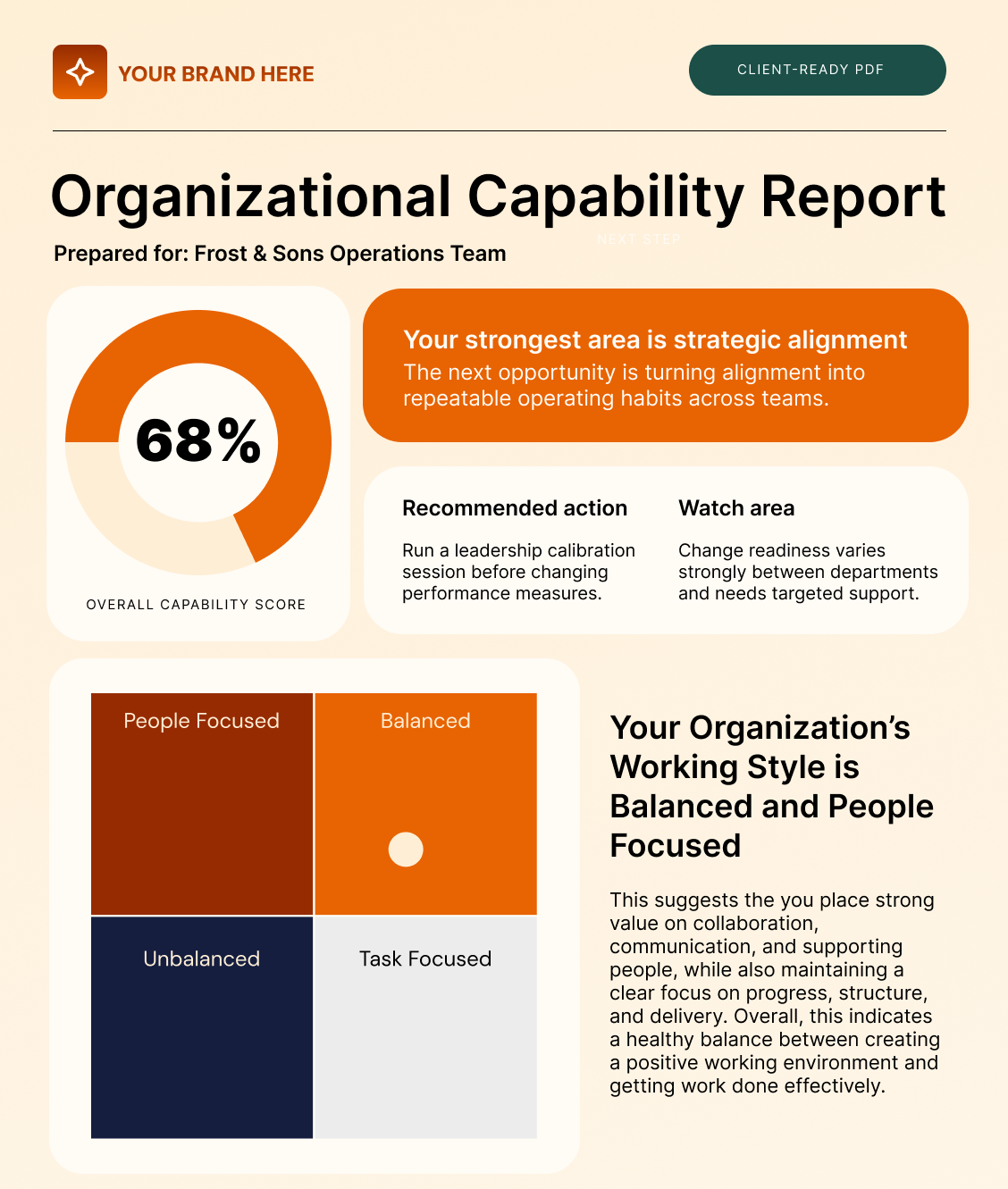
FEEDBACK REPORTS
Your report is the moment your expertise becomes useful
Brilliant Assessments helps you deliver feedback that is specific, personal, and ready to act on, whether it appears as a PDF or an online results page. This often includes:
- Personalized score summaries
- Recommendations based on answers and score ranges
- Charts, benchmarks, and progress views that make patterns clear
- Interpretations powered by AI analysis
Your report can be fully branded to look like part of your service and organization.
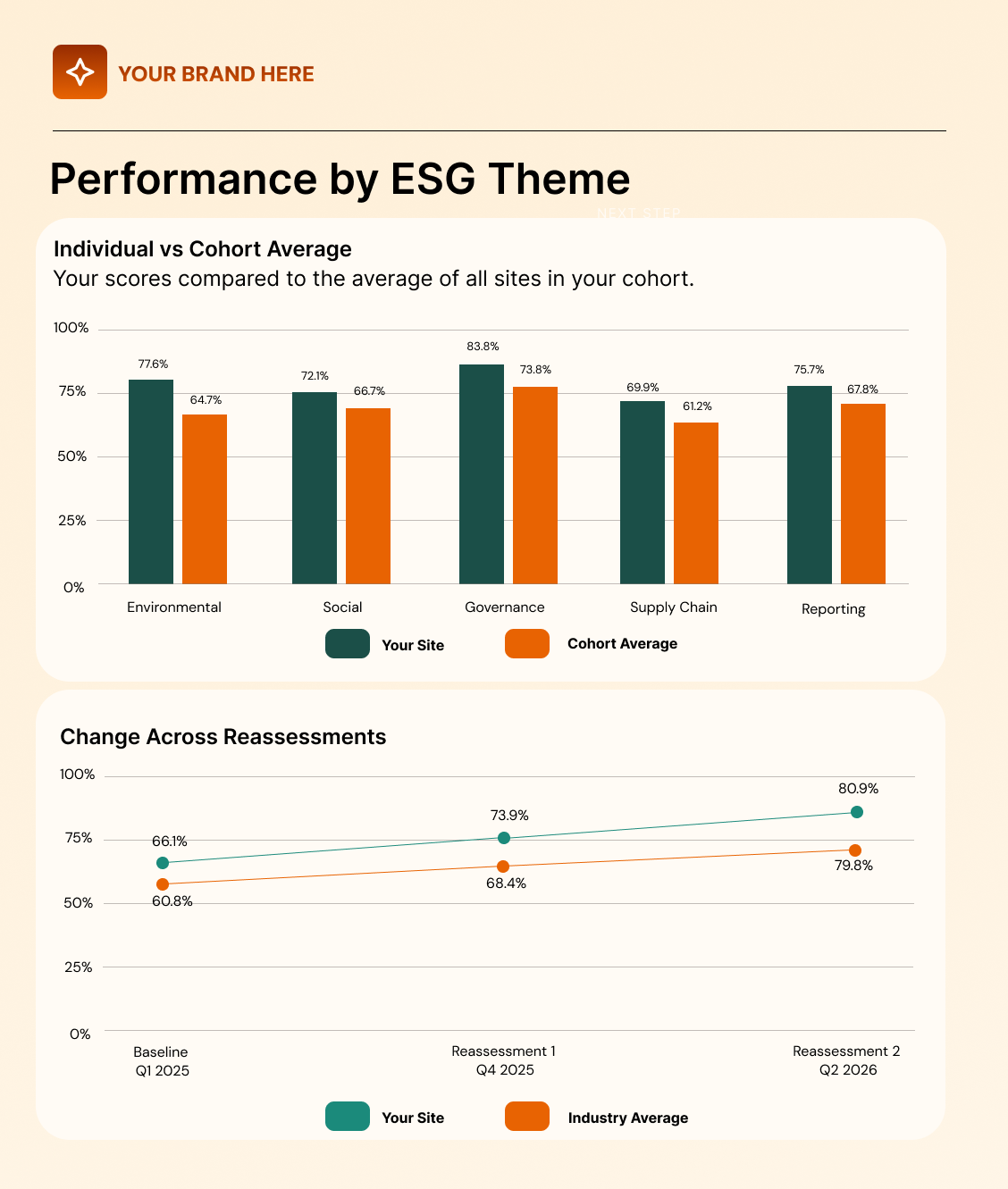
COHORT INSIGHT
See what the group picture is telling you
Brilliant Assessments helps you create relevant experiences for individuals while giving program owners the wider insight they need across teams, cohorts, client groups, regions, or reassessment rounds.
Relevant for the individual
Questions can adapt based on role, responses, scores, or other criteria so the journey fits the person taking it.
Revealing at the cohort level
Aggregate views help you compare teams, groups, cohorts, or regions and spot patterns that would be missed one response at a time.
Clear over time
Track change across reassessments and see how individuals, teams, or programs are progressing.
Designed for the people turning
assessment insight into business value
Scale your methodology without simplifying the framework
You have a framework, a point of view, a way of helping clients change for the better, or rewarding them for their practices. Brilliant Assessments gives that expertise a repeatable, branded assessment experience.
Turn your IP into a product
Package your framework and resell your expertise through partner portals or paid-for assessment models.
Protect the integrity of your framework
Use comprehensive scoring and personalized feedback that aligns with the detail and nuance of your frameworks.
Put your stamp on your work
Generate stunning, branded reports and assessment experiences that match your (or your client’s) corporate identity.
Run secure assessment programs your people can trust
When assessments touch employees, customers, partners, or leadership teams, the assessment experience needs to be consistent, credible, and scalable.
Assess at many levels within one assessment
Use your assessment to produce insight on individuals, teams, departments, regions or any other cohort.
Draw clear comparisons
See patterns across individuals, groups and time to understand where strengths are and gaps may be emerging.
Connect with your systems
Integrate with your HRIS, ATS, and wider systems using our API. All integrations are implemented in line with our commitment to enterprise security.
POPULAR ASSESSMENT PROGRAMS
One platform for many kinds of professional assessments
From high-touch consulting diagnostics to large-scale enterprise reassessments, Brilliant Assessments can flex around the program you need to deliver.
360° reviews, leadership style, coaching needs, manager capability, succession readiness.
Culture & Organizational Health
Engagement, culture, psychological safety, team health, change readiness.
Skills gaps, competency frameworks, learning needs, role readiness, workforce capability.
Maturity models, digital readiness, AI readiness, transformation readiness, process maturity.
Risk maturity, compliance readiness, cyber awareness, audit readiness, supplier risk.
ESG maturity, sustainability readiness, social impact, DEI maturity, supply chain responsibility.
Built for enterprise grade trust
Assessment programs often include sensitive data on employees, clients, leadership, skills, or performance. From the outset, we built Brilliant Assessments to support trust before the first question is answered.
As a result, we’re able to combine flexible assessment design with the data controls enterprise buyers expect, so teams can run programs with confidence.
Learn more about our software security and compliance features →
SOC 2 Type II Certified
Independently audited controls and ongoing third-party security reviews.
GDPR-conscious hosting
Primary AWS hosting in Central Canada, with encrypted daily backups in Ireland.
Data minimization
Anonymous response options supported
Encrypted data
Data is protected in transit, at rest and in encrypted backups.
Access control and 2FA
Control who can see data, with two-factor authentication support.
AI security
Opt-out ability and encrypted, transient processing through Azure OpenAI.

Brilliant support for your assessment build
When you need support that understands what you are trying to deliver, Brilliant Assessments is second to none.
Dedicated account manager
Every subscription and free trial includes a named person to help you move forward.
Detailed help desk
Get self-serve answers when you want speed or book time with real people when you need advice.
Professional services available
Hands-on implementation is available for building assessments, results pages and reports.
AI Prompt Support
Work with us to make sure you AI prompts use the context of your assessment accurately and produce the most accurate results.
Our customers tend to stick with us
4.9
Stars on Capterra
10/10
Likely to recommend Brilliant Assessments
97%
of our customers stay with us for the full duration of their programs
Real
Human support from day 1 to 100 and beyond
“We immediately fell in love with the platform. We now have our own coaching platform that completely differentiates us from the competition“
Tim Hagen, Progress Coaching
“Brilliant’s reporting functionality really sets it apart.“
Dr Dan Squires, Anderson-Squires
“I’ve not yet come across something that the Brilliant team couldn’t help with or was too difficult.“
Debbie Ogier, Six Till Six
““The Catalyst Effect has grown. Brilliant has grown with us. As soon as we go, ‘Hey, is this possible?’ the team goes, ‘I don't know. Let's figure it out.’ We know that the team cares about our success.“
Jerry Toomer, action360™
Thinking about making a Brilliant move? Switch without paying twice.
If your current tool is limiting what you’re hoping to achieve, or pushing beyond your budget, our Brilliant Switch offer gives you room to start building the assessment experience you actually want while your existing program keeps running.
For eligible annual contracts, we can cover your Brilliant Assessments subscription until your current commitment ends. Conditions Apply.
Keep your current program running
Minimize disruption while your Brilliant version is mapped, built and prepared behind the scenes.
Get dedicated migration support
Work with a dedicated Customer Success Manager who understands complex assessment programs.
Rebuild around your true model
Bring across the scoring, themes, outcomes, report logic and respondent paths your assessment needs.
No double overhead
Start building (on the house) before your old commitment finishes, subject to proof of contract.