A woman with short hair, glasses, and a blue sleeveless top looks down happily at a tablet she is holding. Behind her, there is a bar graph, and she is in front of a white screen showing a business survey about innovation.

Individual Assessments

Assess any individual and turn results into clear next steps

Create self-assessments, assessor-led reviews, evidence-based submissions and reassessments over time, then deliver personalised feedback via polished reports and interactive results.

"We immediately fell in love with the platform. We now have our own coaching platform that completely differentiates us from the competition."

Tim Hagen, Leader at Progress Coaching

"Our auditors automatically receive the reports so that they can review them. This has allowed us to scale, grow, and utilize the automation within the tool. It also frees up our auditors' time to focus more closely on the assessments."

Rob Van Buskirk, Co-founder at VanRein Compliance

"We looked into a number of different solutions and we found that they were often too rigid for our needs, overly complicated to set up and manage, and outside of our budget. Brilliant Assessments delivered everything we needed.

Debbie Ogier, Administrator for Best Bar None by Six Till Six

Brilliant uses for individual assessments

Whether you’re making a decision, planning development, reviewing evidence, or measuring progress, Brilliant Assessments helps you assess one person in a consistent way and turn inputs into feedback you can use and share.

Common building blocks across these use cases

  • Conditional question paths to tailor the assessment experience

  • Scoring, rating levels, and benchmarks to make results easy to interpret

  • Professional outputs via downloadable reports and interactive results

  • Automated invitations and reminders to improve completion rates

  • Reassessment over time to track progress and impact

  • Evidence-based inputs (open text + document uploads) with optional AI-assisted interpretation

  • Branding and monetisation options when the assessment is a paid deliverable

  • Use an individual assessment to create a fair, structured snapshot of role-relevant capability — whether that’s technical knowledge, scenario judgement, readiness, or values alignment. Ideal for shortlisting and for producing a consistent summary for hiring managers.

    • Conditional paths based on role, level, or candidate responses

    • Scoring + rating bands to standardise how you interpret results

    • Auto-generated feedback summary (report + results page) to support decisions

    • Optional benchmarks to compare against a defined expectation/profile

  • Use Brilliant Assessments to baseline where someone starts, then run structured check-ins to confirm progress, surface support needs early, and turn results into a focused plan for the next stage.

    • Start-of-role baseline + scheduled reassessments

    • Clear capability “traffic lights” via rating levels and thresholds

    • Personalised recommendations in the report based on results

    • Automated emails/reminders to keep the process lightweight

  • Turn a performance conversation into something more consistent and actionable by assessing strengths, gaps, confidence, and behaviours against a framework — and generating a plan people can actually follow.

    • Competency-aligned scoring and rating definitions

    • Tailored development actions based on score ranges

    • A shareable report to anchor 1:1s, reviews, and planning

    • Reassessment later to track change and follow-through

  • Use Brilliant Assessments to support progression decisions with consistent criteria and evidence. This is especially useful when you want assessors to evaluate the same areas repeatedly across different candidates (without reinventing the process each time).

    • Structured assessor-led scoring to reduce subjectivity

    • Evidence prompts (open text + uploads) to support decisions

    • A standardised output for review panels or HR records

    • Clear strengths/risks summary for decision-making and feedback

  • Assess before and after training to measure what changed — knowledge, confidence, behaviour intent, or applied judgement — and produce an individual “impact story” rather than a vague completion tick.

    • Pre/post assessments using the same scoring model

    • Iteration comparisons to show movement over time

    • Role- or cohort-independent benchmarks (e.g., expected level)

    • Auto-generated feedback that highlights growth areas and next steps

  • Use Brilliant Assessments to assess against a standard (knowledge checks, practical judgement, evidence requirements), and deliver a formal result that’s easy to understand and store.

    • Pass/fail or level-based outcomes via thresholds and bands

    • Evidence collection for standards-based assessment

    • Certificate-style or formal report outputs (where relevant)

    • Consistent structure across assessors, candidates, and intakes

  • When assessment needs to be grounded in real material, Brilliant Assessments can collect narrative responses and documents, then help transform that into structured scoring and clear feedback.

    • Uploads + open-text inputs for richer context

    • AI-assisted interpretation to draft feedback and summaries (with human review)

    • Clear linkage from evidence → criteria → result

    • Professional outputs that save reviewer time and improve consistency

  • Start a coaching relationship with a structured intake that surfaces goals, blockers, behaviours, and priorities — and use reassessments to demonstrate progress over time.

    • Intake diagnostic that adapts to the individual (conditional flow)

    • Immediate “coaching brief” output for the coach and coachee

    • Ratings that translate into focus areas and next-step actions

    • Repeat later to prove change, not just talk about it

  • Use Brilliant Assessments as a structured diagnostic to speed up discovery, make your recommendations more defensible, and produce a polished deliverable you can share with the client.

    • Branded, client-facing experience and outputs

    • Scoring models that map to your methodology or framework

    • Report sections that translate results into recommendations

    • Optional evidence + AI-assisted interpretation to deepen insights

  • When you need a repeatable way to confirm understanding, gather attestations, or capture evidence, Brilliant Assessments can provide a consistent format and output — without manual chasing and write-ups.

    • Attestations + knowledge checks in one flow

    • Evidence prompts where proof is required

    • Automated invitations and reminders

    • Clear outcome summaries for stakeholders (report + results page)

  • If your assessment is a product — e.g., a leadership diagnostic, readiness check, or personalised report — Brilliant Assessments can support a premium, scalable experience.

    • Payment and access flow (e.g., via Stripe integration)

    • Automated delivery of results and reports

    • Tiered outputs (snapshot vs full report) if you want packages

    • Branding for a cohesive “product” experience

Features you’ll love

Build fast

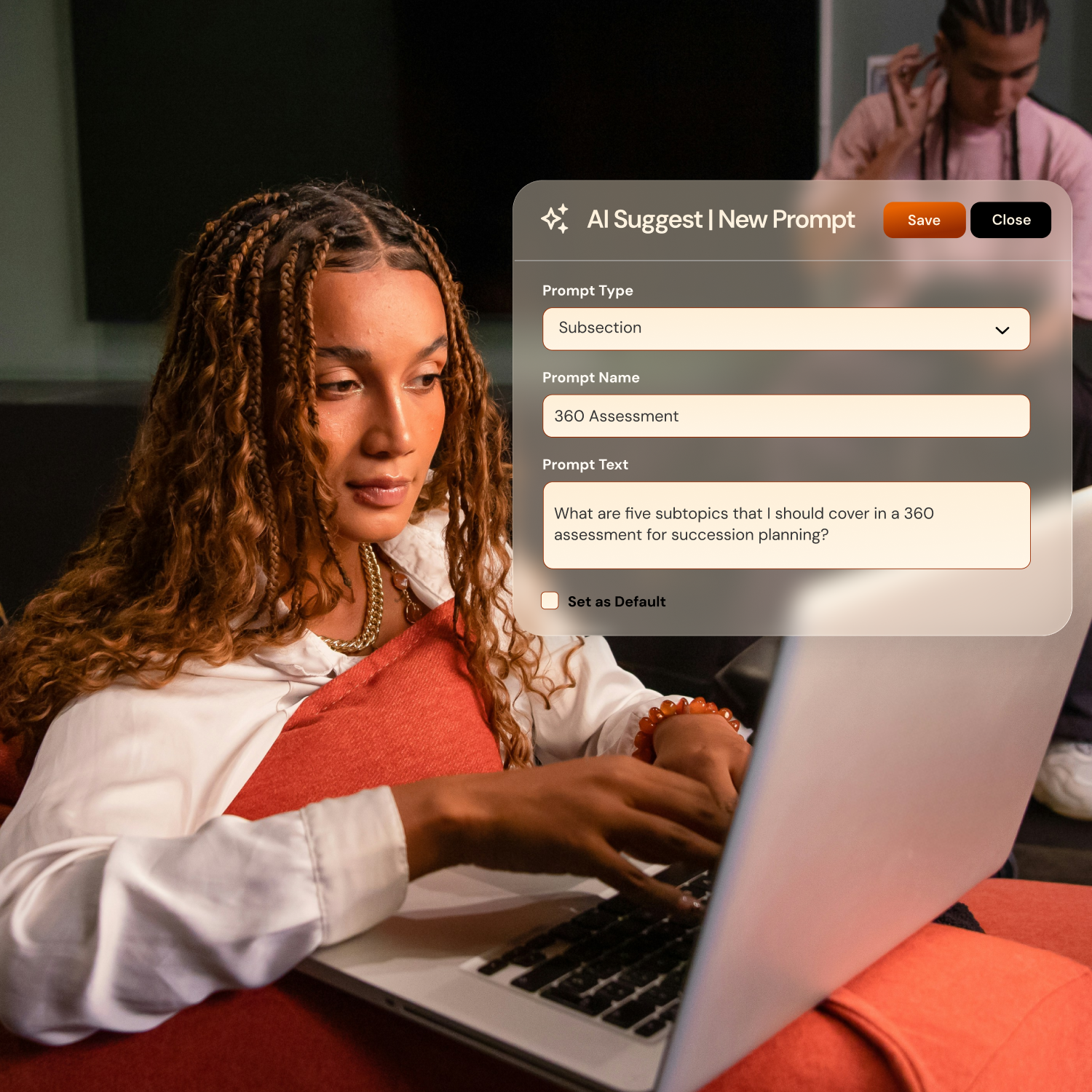
  • Get a strong first draft in minutes, then keep, edit, or regenerate as needed.

  • Use AI Suggest to build out sections, subsections, questions and write your report text.

  • Match the assessment experience to your brand with logos, colours, and messaging.

  • Base follow‑up questions on previous answers with conditional logic.
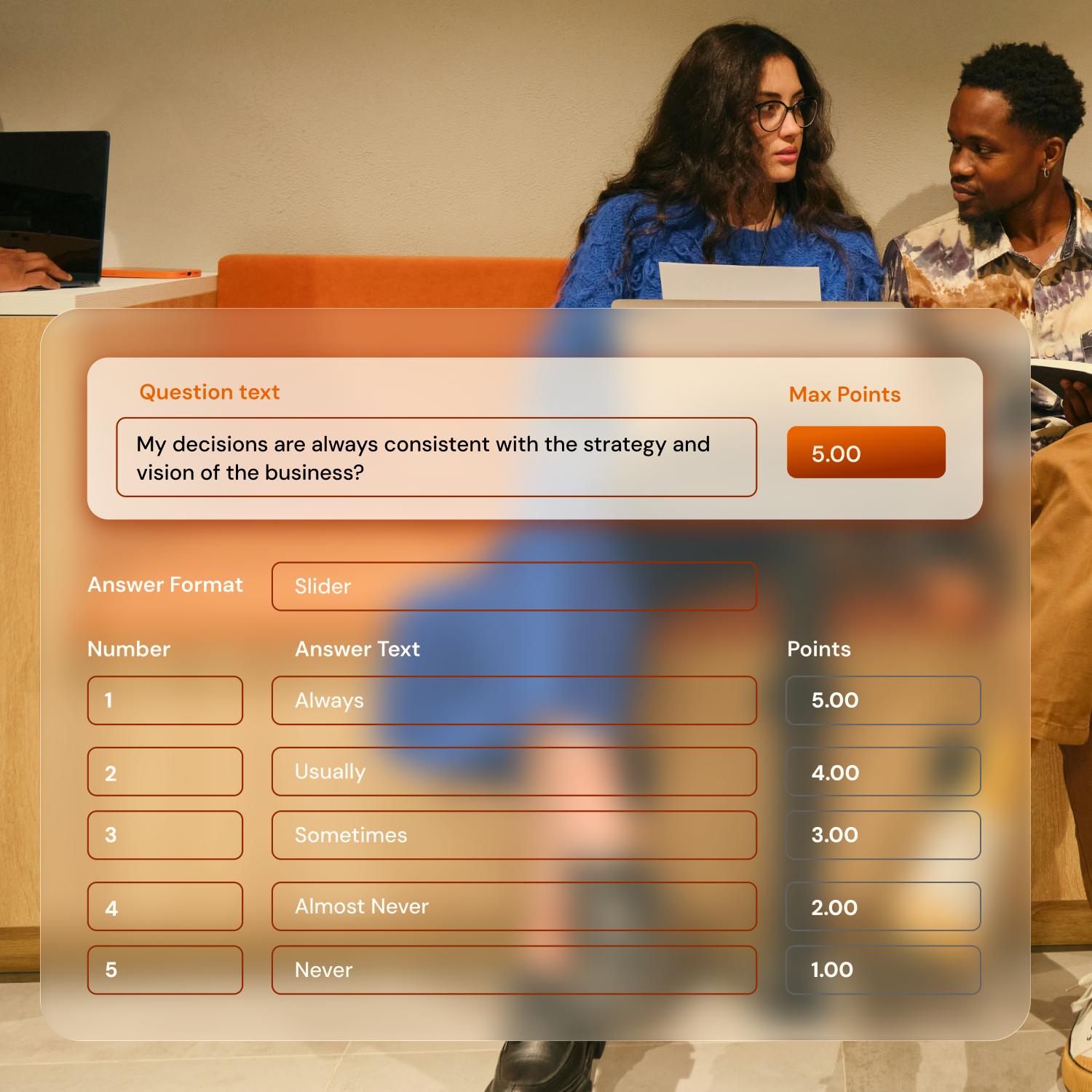
Automate Scoring

  • Create customizable scoring and rating bands to match your framework, without formulas.

  • Use AI Interpretations to generate scores for open text answers, uploads, and detailed answer combinations

  • Compare scores with peer averages, percentiles or predefined standards using benchmarks.
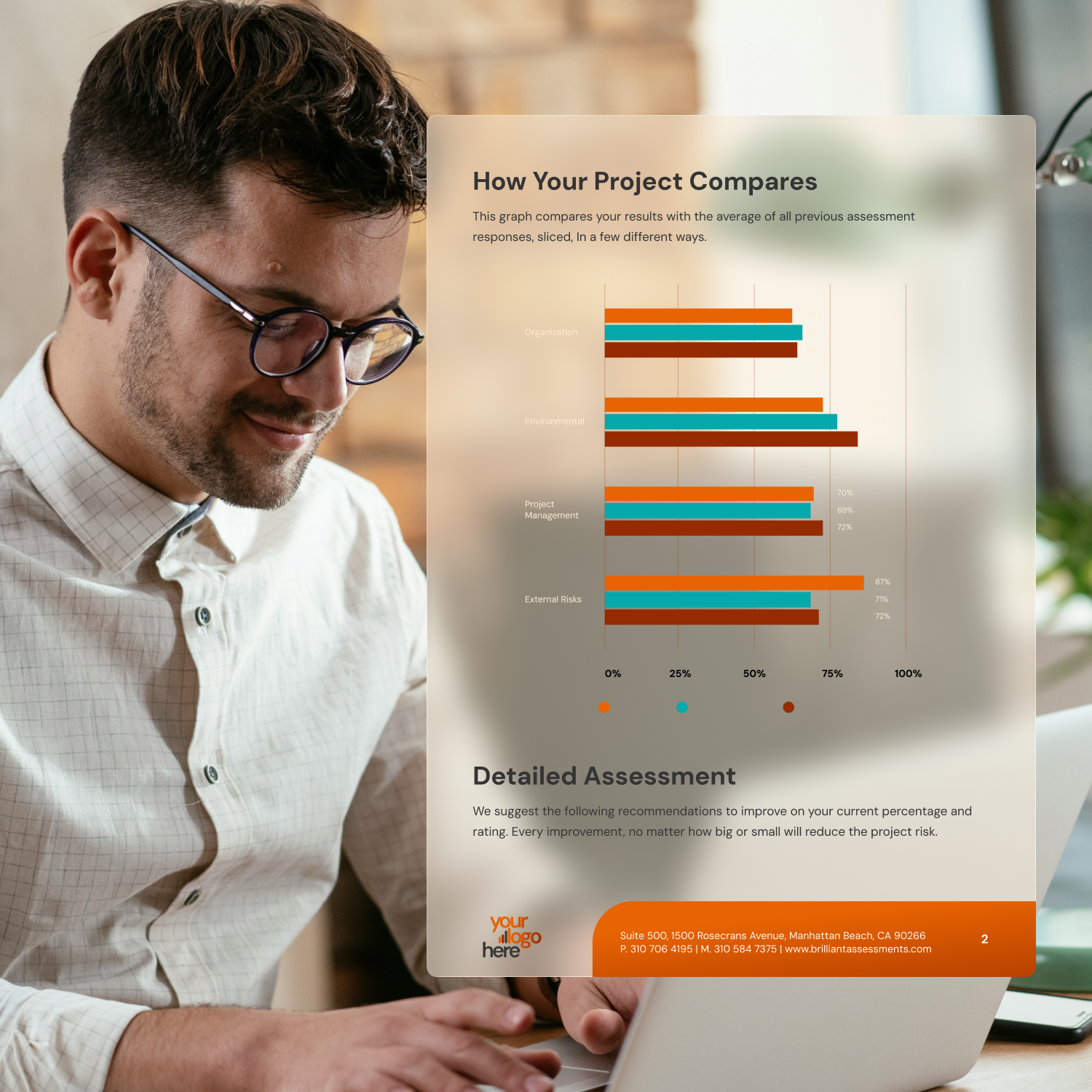
Deliver Polished Feedback

  • Deliver professional PDF reports with charts and feedback generated automatically.

  • Share a secure online results view that’s easy to explore and engage with.

  • Turn open text answers and uploads into drafted feedback with AI. Review and override AI-generated feedback before publishing anything to respondents as needed.

  • Repeat assessments to track progress, compare iterations, and show improvement.